We may earn a commission if you buy through our links, at no extra cost to you. Products are selected for usefulness, not commission rate.
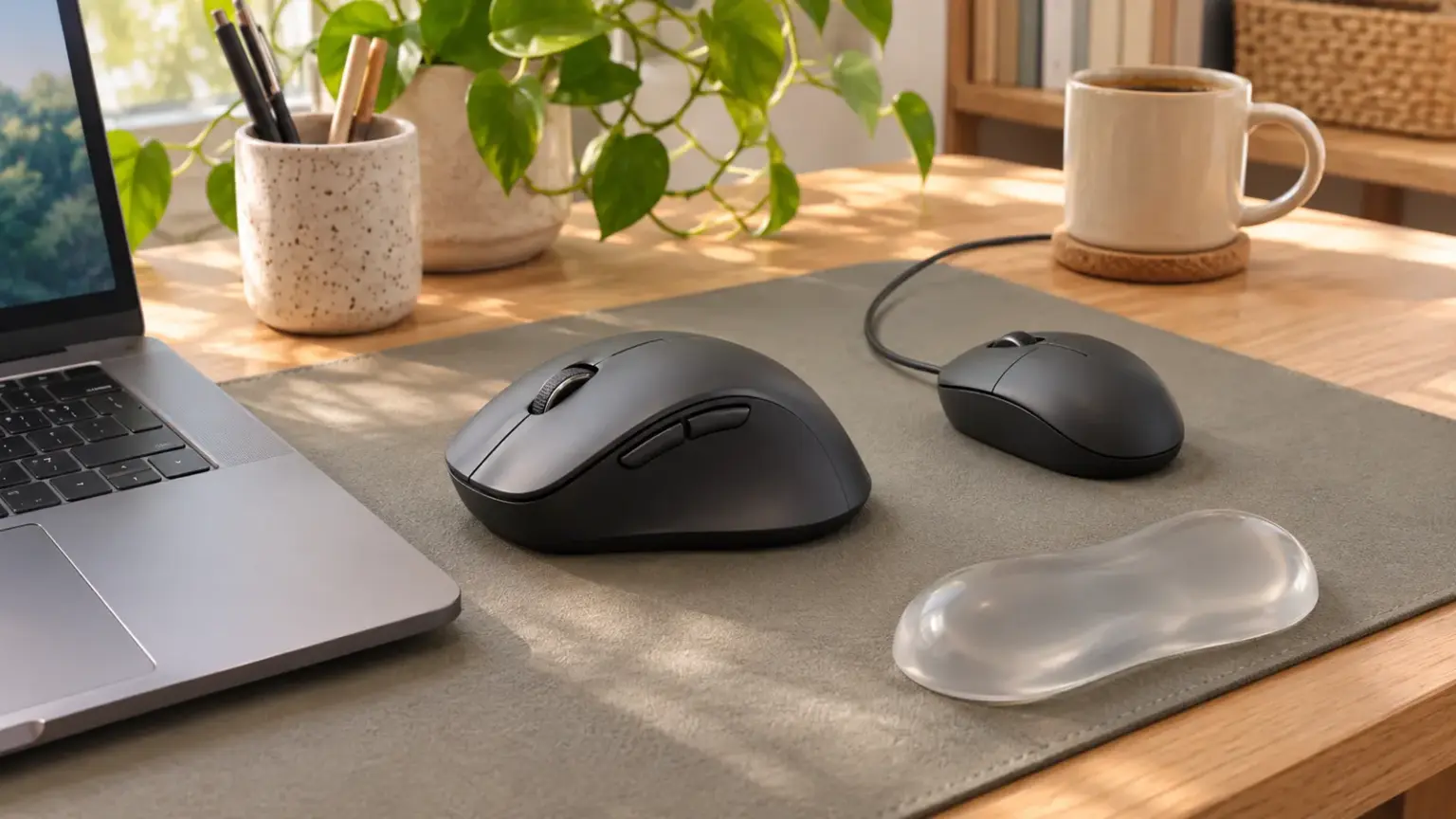
A good mouse setup starts with how you work: scrolling through documents, moving between computers, playing games, or carrying a laptop between desks. This computer mouse buying guide compares three mice and three related accessories from Sundoa’s Computer Mouse category. Choose the pointing device first, then decide whether a desk mat, wrist rest, or replacement feet solve a real problem.
The comparisons use published product descriptions rather than hands-on testing. Check the exact selected variant, connection method, dimensions, and package contents before ordering. A familiar model name alone does not confirm every specification or included accessory.
Compare the setup by task
| Product | Useful starting point | Check before buying |
|---|---|---|
| Logitech MX Master 3S | Document-heavy desk work | Right-handed shape, operating system support, receiver inclusion |
| VGN Vxe Dragonfly R1 SE | Gaming and flexible connections | Exact variant specifications, grip fit, charging and receiver details |
| Strawberry wired USB mouse | Light everyday use and a playful desk | Port type, cable reach, shell comfort |
| PU leather desk pad | A shared keyboard and mouse surface | Selected dimensions and available movement space |
| Transparent silicone wrist rest pad | An optional desk support accessory | Height, firmness, footprint and personal fit |
| MX Master 3S replacement feet | Replacing worn model-specific skates | Exact mouse model and installation instructions |
Three mice for different priorities
Document work: Logitech MX Master 3S
The listing describes Bluetooth and 2.4GHz connectivity, a MagSpeed scroll wheel, and a contoured shape for right-handed users. Those features make the MX Master 3S worth comparing when your day involves long documents, spreadsheets, and repeated scrolling. Its shape is as important as its feature list: compare the shell with a mouse you already find comfortable.
Confirm software support for your operating system and whether the USB receiver is included in the selected package. Wireless does not mean every connection works identically on every computer. If you switch between machines, review the pairing and switching details before buying rather than assuming the workflow from the model name.
Gaming and connection choices: Dragonfly R1 SE
The Dragonfly R1 SE listing describes a lightweight gaming mouse with wired, Bluetooth, and 2.4GHz options. It belongs on a shortlist when connection flexibility and mouse movement matter more than a large document-oriented shell. Compare its dimensions against your palm, claw, or fingertip grip and the space on your desk.
Check the exact variant’s sensor, receiver, charging arrangement, and supported settings on the product page before ordering. This guide does not independently verify latency, battery runtime, or competitive performance, and the presence of multiple wireless modes alone does not establish those results.
Simple wired use: strawberry-shaped USB mouse
The strawberry wired mouse offers a compact novelty shape and an optical sensor with a USB cable. It is a practical comparison for light browsing or a decorative laptop setup when you prefer not to manage batteries. Measure the distance from your device’s port to your usual hand position, leaving room for movement.
Check the connector against your laptop, especially if it uses only USB-C ports. A novelty shell can feel different from a conventional mouse, so consider button access and grip before choosing it as your main work device. Appearance is a preference; comfort needs a separate check.
Choose accessories after the mouse
A large PU leather desk pad can bring the keyboard and mouse onto one surface. The listing describes a wipe-clean top and suede-textured backing. Measure the usable desk area, including the keyboard, laptop stand, and your normal mouse travel. A pad that fills the desk visually may still leave too little room beside the keyboard. Check tracking on your chosen surface before assuming it will suit every sensor or task.
The silicone wrist rest pad is a separate fit decision. Its transparent design and anti-slip base may suit a tidy workspace, but height and firmness matter more than appearance. Compare its dimensions with your mouse and desk position. Treat it as an optional support accessory; this comparison does not establish medical benefits or guarantee comfort.
If an existing MX Master 3S drags, first check for dirt on the surface and visible wear on its feet. The replacement PTFE feet listing is specifically for that model and describes two sets. Match the model exactly and review the fitting instructions. Replacement skates are not a universal upgrade for unrelated mice, and this guide does not measure changes in glide or tracking.
Shopping checklist
- Write down the main task: documents, games, light browsing, or travel.
- Check your dominant hand, preferred grip, and dimensions against a comfortable mouse.
- Confirm the device’s available ports and supported wireless connection.
- Verify the exact variant, included receiver, charging cable, and software support.
- Measure cable reach or review the charging arrangement for wireless use.
- Measure the mouse movement area before ordering a desk mat or wrist rest.
- For replacement feet, match the full model and review installation guidance.
- Review current availability, price, shipping, and returns on the product page.
Frequently asked questions
Should I choose wired or wireless?
Choose around your ports and routine. A wired mouse avoids battery management but needs cable space. A wireless model reduces cable clutter while adding pairing, receiver, or charging considerations. Verify those details for the selected model.
Is a gaming mouse automatically better for office work?
No single feature list decides fit. Compare grip, scrolling, buttons, supported software, and the tasks you repeat. A gaming-oriented shape and a document-oriented scroll wheel solve different priorities.
Do I need a desk pad and a wrist rest?
Only if each addresses your setup. A desk pad provides a surface and protection; a wrist rest adds a raised support area. Measure both and assess personal fit instead of treating them as a required bundle.
Will MX Master 3S feet fit another mouse?
Do not assume so. The linked skates are model-specific. Check the exact underside shape and product compatibility before ordering.
Browse the Computer Mouse range once you know your connection, grip, and desk-space requirements. Start with those constraints, then choose accessories that support the setup you actually use.