
We may earn a commission if you buy through our links, at no extra cost to you. Products are selected for usefulness, not commission rate.
An HDMI audio extractor is the practical bridge between a modern HDMI source and audio equipment that does not accept HDMI. It takes the sound carried inside an HDMI signal and makes that sound available through outputs such as optical Toslink, coaxial digital audio, RCA stereo, or a 3.5 mm jack. That simple job solves a surprisingly wide range of home entertainment problems: connecting a game console to powered speakers, sending television sound to an older receiver, using headphones with a display that has no headphone socket, or separating audio before a signal reaches a projector.
This guide explains how an HDMI audio extractor works, how to choose one without paying for features you cannot use, and how to avoid the compatibility mistakes that cause silence, dropouts, or loss of video quality. The goal is not to recommend one box for everyone. It is to help you map your source, display, and audio system as one signal chain, then choose the smallest device that supports every link in that chain. You can browse Sundoa’s Sound Media collection while using the decision process below.
Compare two HDMI extractor connection types
These two catalog listings serve different connection paths. Before choosing, write down your source, TV or monitor, speaker input, and required video format. Do not treat a console name in a listing as proof that every resolution or audio mode is supported.
These are listing-based comparisons, not hands-on tests. Sundoa may earn a commission from qualifying purchases through the links below, at no extra cost to you. Confirm the selected variant, current price, delivery and return terms on AliExpress.
HDMI source to optical or RCA audio
Consider this listing for a separate HDMI source feeding a display and audio system. Its description explicitly excludes ARC. It also mixes 4K/60 Hz and 1080p/two-output descriptions, so ask the seller to confirm the exact variant, number of outputs and supported video mode before ordering.
View product details · Check price and options on AliExpress
TV ARC to optical audio
Consider this listing only after checking your TV’s ARC connection and the receiving device’s optical input. The recorded specifications limit ARC to the Toslink output and state 4K/30 Hz and HDCP 1.4. Do not choose it expecting TV ARC sound through AUX, eARC-format support or high-refresh-rate video without explicit seller confirmation.
View product details · Check price and options on AliExpress
HDMI audio extractor: the quick answer
Choose an HDMI audio extractor by answering four questions in order: What video format must pass through? Which audio output does your speaker, receiver, soundbar, or headphones accept? Do you need ARC or eARC from a television, or are you extracting audio from a source before it reaches the display? Finally, which audio formats can the receiving equipment decode? A device is suitable only when all four answers match its documented capabilities.
- For simple stereo speakers: look for RCA or 3.5 mm analog output and a clear two-channel mode.
- For an older digital receiver or soundbar: optical Toslink or coaxial S/PDIF is usually the relevant output.
- For television apps: choose a unit designed for ARC or eARC return audio, not only ordinary HDMI pass-through extraction.
- For consoles and streaming devices: verify the required resolution, refresh rate, HDR behavior, and HDCP support before buying.
- For surround sound: confirm the extractor, connection type, and receiver support the same compressed or multichannel format.
What an HDMI audio extractor actually does
HDMI normally transports video and audio together. That is convenient when every component is current and HDMI-equipped, but real systems often mix generations. A television may be new while the amplifier is older. A desktop monitor may display an excellent picture but provide weak speakers or no audio output. A projector may be mounted far from the listening position. An HDMI audio extractor sits in the signal path and exposes the audio in a form another device can accept.
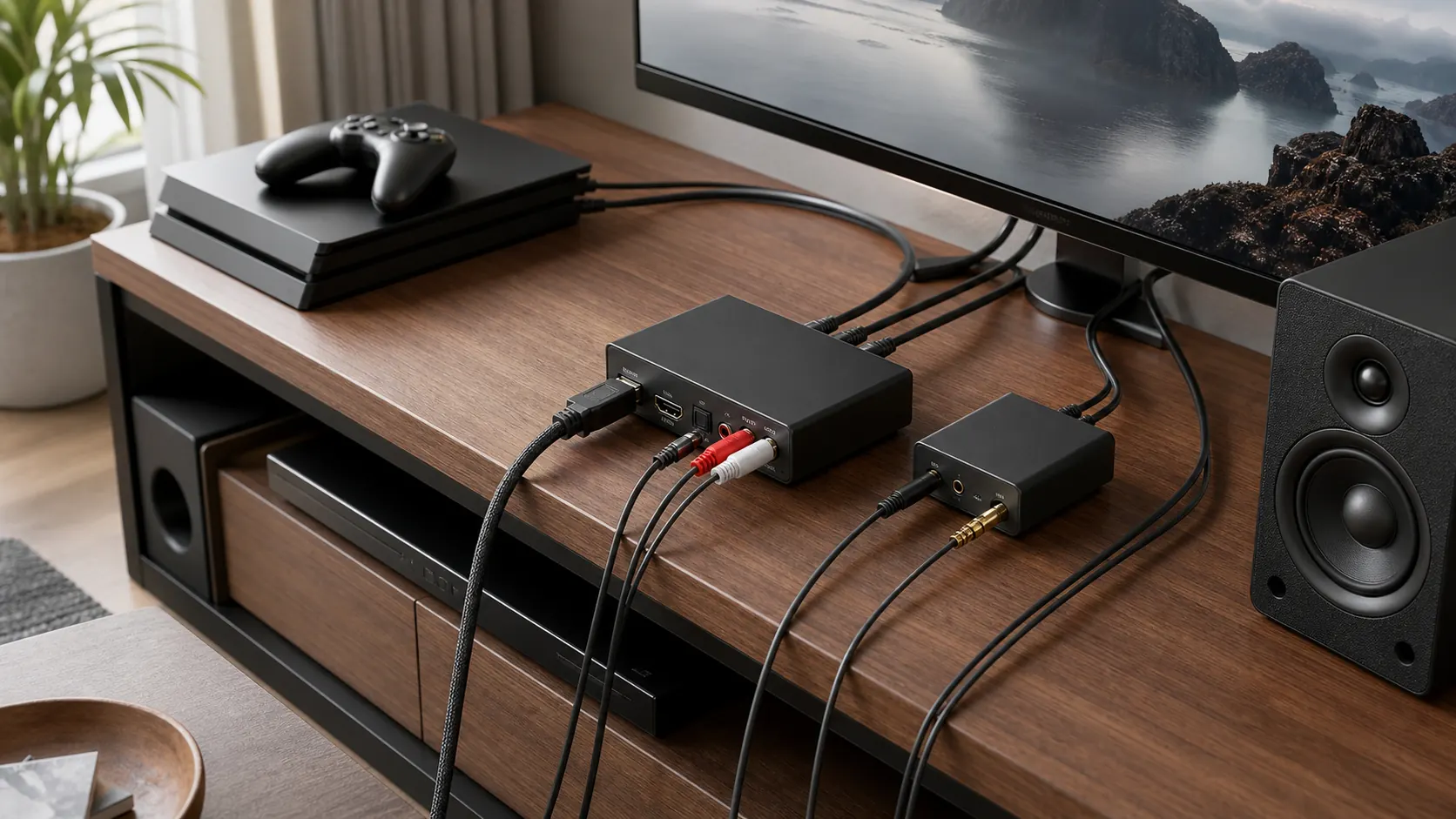
The common arrangement is source to extractor, extractor to display, and extractor audio output to the listening device. The video continues through the HDMI output while the sound is also delivered through the selected audio connector. Some products add an HDMI switch so more than one source can share a display. Others focus on ARC, allowing audio generated by television apps or devices connected to the television to travel back from the TV’s ARC port.
An extractor does not automatically improve audio quality. It changes connection options. It also does not make every format compatible with every receiver. If a television sends a format that the downstream DAC or speaker cannot decode, a physical connection may be present while no usable sound is produced. Good results depend on format negotiation, output selection, and sensible settings throughout the chain.
When an extractor is the right solution
A monitor has no useful audio output
Many computer monitors accept HDMI video but offer either no speakers or small speakers intended only for basic alerts. An extractor can send stereo audio to powered desktop speakers or headphones while the monitor receives the picture. For this use, a simple analog output may be more useful than advanced surround features. Check whether volume will be controlled at the source, the speakers, or a separate amplifier because many analog extractor outputs are fixed-level.
An older receiver still sounds good
A receiver with optical, coaxial, or RCA inputs can remain useful even if it lacks modern HDMI switching. An extractor lets the source deliver video directly to a current television while feeding compatible audio to the receiver. The important limitation is bandwidth and format support: optical and coaxial S/PDIF do not carry every format available over HDMI. Choose settings your receiver can decode instead of assuming the extractor will convert all modern formats.
A projector is separated from the speakers
Projector installations often reveal why separating audio early is useful. The HDMI source may sit near the audience while the projector is several meters away. Extracting sound near the source avoids routing an analog cable back from the projector. It can also reduce dependence on a projector’s basic audio output. Plan cable length, power availability, and control access before mounting anything permanently.
A television needs to feed headphones or powered speakers
If the television has an ARC port but no convenient analog output, an ARC-capable extractor may expose TV audio through optical or analog connectors. This is different from placing an ordinary extractor between a streaming box and the television. ARC handles sound returning from the TV, including compatible built-in apps and connected inputs. Confirm that both the television port and the extractor explicitly support ARC, and enable HDMI-CEC or ARC settings if the manufacturer requires them.
Map the complete signal path before shopping
The most reliable buying method begins with a one-line diagram. Write the source on the left, the display on the right, and the audio destination underneath. Add the exact ports available on each device. For example: game console HDMI output to extractor HDMI input; extractor HDMI output to 4K television; extractor optical output to receiver. This exposes missing ports and prevents vague assumptions.
Next, write the highest video mode you genuinely use. Resolution alone is not enough. A 4K signal may run at different frame rates and color formats, and features such as HDR add requirements. A device advertised only as “4K” may not support every 4K mode your console or computer offers. Treat the product page’s detailed pass-through specifications as the authority and use a lower source setting if the rest of the chain cannot support the highest mode.
Then identify the audio destination’s accepted inputs and formats. Powered speakers with red and white RCA sockets need analog stereo. A soundbar with optical input needs Toslink and may support only selected formats. Headphones usually require an amplified headphone output, not merely a line-level 3.5 mm socket. A receiver may accept optical but still need the source set to PCM or a compatible compressed format.
Finally, decide where control should happen. HDMI-CEC, ARC, television remote volume, source volume, and speaker volume do not always interact. A basic extractor may output a fixed signal, leaving volume control to the speakers or receiver. That is fine when planned, but frustrating when the only accessible control is behind furniture.
Video compatibility: protect the picture first
An extractor becomes part of the HDMI handshake. The source asks the downstream chain what video and audio modes it supports, and the connected devices exchange capability and content-protection information. If the extractor reports incomplete capabilities or cannot pass the selected mode, the result may be a blank screen, intermittent picture, reduced resolution, or missing HDR.
Resolution and refresh rate
Match both resolution and refresh rate. A unit that handles 4K at a lower refresh rate may be appropriate for films but unsuitable for a high-refresh gaming setup. If your display and source support advanced gaming features, verify those features individually. Do not infer variable refresh rate or high-frame-rate support from a generic 4K label.
HDCP and protected content
Streaming services, disc players, and consoles may use HDCP content protection. Every active device in the path must negotiate a compatible version. A device such as the HDMI-compatible audio extractor with optical and RCA outputs is presented for common streaming and console contexts, but buyers should still compare the listing’s current specifications with the exact source mode they plan to use.
HDR and color behavior
HDR compatibility should be explicit. An extractor may pass a basic picture yet interfere with a feature that depends on additional metadata or bandwidth. If HDR disappears after installation, test a direct source-to-display connection first, then reconnect the extractor with certified cables and a known supported video mode. That isolates the new device from existing cable or display-setting issues.
Audio outputs explained
Optical Toslink
Optical audio is electrically isolated and widely available on televisions, soundbars, and older receivers. It is useful for stereo PCM and selected compressed surround formats, depending on the equipment. The connector is directional in practice: the transmitter sends light to the receiving input. Remove protective caps, align the plug carefully, and avoid sharp bends in the optical cable.
Products such as a 4K HDMI ARC extractor with optical and 3.5 mm outputs combine a digital path with an analog option. That flexibility is useful when you may change speakers later, but it does not mean both outputs carry every possible format simultaneously. Check the operating modes described by the seller.
Coaxial S/PDIF
Coaxial digital audio carries a similar class of signal to optical through an electrical RCA-style connection. It may be convenient when the receiver has coaxial input or when existing cabling favors that connector. Do not confuse a digital coaxial socket with ordinary left/right analog RCA. They may look similar but carry different signals.
A model such as the HDMI audio extractor with optical, coaxial, and 3.5 mm connections offers several routing options. The useful question is not how many sockets it has, but which socket matches the receiving device and selected audio mode.
RCA stereo
Red and white RCA outputs are straightforward for stereo amplifiers and many powered speakers. The extractor must include digital-to-analog conversion to create this output. Set the source to stereo PCM when required. If sound is distorted, extremely quiet, or absent, confirm that the input expects line-level audio and that the extractor is in the correct two-channel mode.
3.5 mm analog
A 3.5 mm output is convenient for compact speakers and some headphones, but the socket may be line-level rather than a dedicated headphone amplifier. High-impedance headphones or demanding models may need a separate amplifier. Read the listing carefully instead of treating every 3.5 mm socket as interchangeable.
ARC and eARC are not ordinary HDMI output
ARC means Audio Return Channel. It lets a compatible television send audio back through a designated HDMI port. This is valuable when the audio originates inside the television, such as a streaming app, tuner, or another connected input. An ARC extractor receives that return signal and exposes it through another audio connection.
eARC is a newer return-channel system with broader format and bandwidth capabilities. The terms should not be used casually. A product that supports ARC is not automatically an eARC solution, and the rest of the equipment still determines what formats are usable. A multifunction unit such as the SMSL PS100 HDMI ARC audio converter targets a different need from a basic in-line pass-through extractor: it is focused on receiving and converting audio for playback equipment.
Before buying for ARC, locate the television’s HDMI port marked ARC or eARC. Check the TV audio menu for digital output format, passthrough, and CEC controls. Some televisions will not activate ARC until CEC is enabled. Others may default to internal speakers or automatically switch outputs when a compatible device is detected.
Use EDID and audio mode switches deliberately
Many extractors include switches labeled 2CH, 5.1CH, passthrough, TV, or similar terms. These controls influence the capability information presented to the source. In two-channel mode, the source is encouraged to send stereo PCM. In a surround mode, it may send a compatible multichannel format. Passthrough may rely more heavily on the display or receiver’s reported capabilities.
Start with the simplest stable setting. For analog RCA or 3.5 mm output, choose two-channel PCM unless the manual says otherwise. For optical into a surround receiver, choose only a format the receiver explicitly decodes. If sound disappears after changing modes, return the source to stereo PCM and verify basic operation before testing surround.
An HDMI switcher such as the 2-input HDMI switcher and audio extractor adds source selection to the same chain. That can reduce cable swapping, but it also makes labeling and consistent source settings more important. Configure each source to a mode supported by the shared display and audio destination.
How to compare the Sundoa options
Start with connection fit, then evaluate features. The 4K HDMI audio extractor with ARC return switch is a candidate when optical and 3.5 mm outputs are relevant and ARC is part of the plan. A simpler extractor may be preferable when you only need to split audio from one HDMI source. A multifunction DAC may make more sense when television ARC conversion is the primary purpose.
Use this comparison order:
- Confirm the exact video pass-through mode.
- Confirm the input mode: ordinary HDMI source, television ARC, or both.
- Choose the output required by the audio equipment.
- Confirm stereo or surround format compatibility.
- Check whether external power is required and whether a suitable power source is included.
- Review controls, indicator visibility, and access after installation.
- Check cable requirements and total cable length.
Product listings can change. Treat names and summary specifications as a starting point, then verify the current seller page before ordering. Avoid choosing by socket count alone. A device with fewer outputs but clearer support for your required video mode is often the better system component.
Step-by-step installation
- Power everything off. This reduces handshake confusion and makes cable changes easier to track.
- Connect the HDMI source to the extractor input. Use a cable rated for the source mode and keep the first test setup short and accessible.
- Connect the extractor HDMI output to the display. If using ARC from a TV, follow the product’s ARC-specific port arrangement instead of assuming the same direction.
- Connect one audio output. Start with a single optical, coaxial, RCA, or 3.5 mm path. Multiple outputs make troubleshooting less clear.
- Apply power to the extractor. Use the specified voltage and a stable supply. A weak USB port can cause intermittent behavior.
- Select a basic audio mode. Stereo PCM is the most useful first test for analog output.
- Start the display and audio destination, then the source. This gives downstream devices time to report their capabilities.
- Test spoken content. Dialogue makes channel and synchronization problems easier to notice than music alone.
- Increase complexity one setting at a time. After stable stereo and video, test HDR, surround, higher refresh rates, or source switching individually.
Troubleshooting common problems
There is video but no sound
Set the source to stereo PCM, confirm the correct input on the receiver or speakers, and check the extractor’s audio-mode switch. If using optical, verify that light is present at the transmitting end without staring directly into it. If using ARC, confirm the TV’s ARC port, CEC setting, and external-speaker output. Reboot the chain after changing HDMI or ARC settings.
There is sound but no picture
Lower the source resolution and refresh rate, disable HDR temporarily, and test with short known-good HDMI cables. Connect the source directly to the display to confirm that the base combination works. Then add the extractor with the simplest video mode. If the direct connection works but every supported extractor setting fails, the unit may not support the required handshake or bandwidth.
The picture flashes or drops out
Intermittent behavior often points to cable quality, excessive total length, unstable power, or a mode near the chain’s bandwidth limit. Replace one cable at a time and power the extractor from a reliable adapter rather than an uncertain display USB port. Avoid stacking several unpowered adapters.
Only stereo is available
Check the extractor mode, source output setting, receiving device formats, and connection limitation. Analog outputs are stereo. Optical may support selected compressed surround formats but not every HDMI audio format. The source may also read the display’s stereo capability and choose stereo unless EDID controls indicate otherwise.
Audio is delayed
Audio and video can take different processing paths. Disable unnecessary sound processing, check lip-sync controls on the television or receiver, and test another output type. Game mode may reduce display delay. If the audio leads the picture and no delay adjustment exists, routing both through equipment with coordinated processing may be necessary.
Common buying mistakes
The first mistake is buying for a connector rather than a complete use case. An optical socket does not guarantee the desired surround format. A 3.5 mm socket does not guarantee strong headphone drive. A 4K label does not describe refresh rate, HDR, or gaming features.
The second mistake is confusing ARC extraction with ordinary source extraction. If the goal is sound from built-in TV apps, the product must receive ARC from the television. If the goal is sound from a console before the TV, an in-line source extractor may be enough.
The third mistake is expecting conversion the product does not promise. Many devices expose or route audio; they do not decode every format into every output. Start with PCM stereo when using analog connections and add surround only when every component documents support.
The fourth mistake is ignoring power and cable access. A small box hidden behind a cabinet still needs stable power, ventilation, and reachable switches. Plan its physical position as carefully as its electronic role.
Four real-world connection plans
Game console, television, and powered stereo speakers
Place the extractor between the console and television. Send HDMI video onward to the TV and analog stereo to the powered speakers. Configure the console for a video mode the extractor and television share, then select stereo PCM audio. This arrangement is simple and responsive because sound is separated before the television processes it. It also works well when the speakers have an accessible volume knob. Test game audio, streaming apps on the console, and voice chat separately because they may use different output settings. If the speakers hum, move their power supply away from signal cables and test a different analog cable.
Streaming box, projector, and older optical receiver
Keep the streaming box and extractor near the receiver, then run HDMI to the projector and optical audio to the receiver. This avoids sending audio to the projector and back again. Start with PCM stereo to confirm the path, then select a compatible compressed format only if the receiver and extractor both support it. Projector cable runs can be long, so verify the HDMI path at the required resolution before hiding the cable. If video drops only after the projector warms up or after switching content, test a lower-bandwidth mode and a shorter cable to separate handshake issues from cable loss.
Smart television apps and an analog amplifier
Use an ARC-capable converter connected to the television’s ARC port, then send RCA stereo to the amplifier. Enable ARC and the necessary CEC control in the television menu. Set digital audio output to PCM if the converter creates analog stereo. The TV may disable its internal speakers automatically; if not, select the external audio system manually. Volume behavior varies. Some televisions provide variable ARC volume while some converters output fixed line level. Confirm that the amplifier’s volume control is easy to reach and begin listening at a low level.
Two sources sharing one display and sound system
A combined HDMI switch and extractor can route a console and streaming device into one television and one receiver. Use consistent video modes across the sources where possible. Label the inputs and keep the selector accessible. If one source works and another does not, compare source output settings before changing cables. Automatic switching can be convenient, but manual selection may be more predictable when devices remain partly awake. Test cold starts, wake-from-sleep behavior, and switching while content is playing. A stable shared setup is more valuable than a theoretically automatic one that changes inputs unexpectedly.
How to judge long-term usability
Compatibility is the first requirement, but daily usability determines whether the solution remains pleasant. Look at indicator brightness in a dark room, switch placement, cable strain, enclosure ventilation, and power behavior after an outage. An extractor that forgets its mode or requires an awkward button sequence can become frustrating even when the signal quality is good.
Keep a short record of the working configuration: source resolution, audio format, extractor mode, TV input, receiver input, and ARC or CEC settings. This makes recovery faster after firmware updates or accidental menu changes. Photographing the cable arrangement before moving equipment is also useful. If another household member uses the system, write the normal start sequence in plain language and minimize the number of remotes required.
Finally, leave room for future changes without overbuying. An extra optical output may be worthwhile if a receiver upgrade is likely, while advanced surround support has little value for a permanent two-speaker system. The best balance is documented support for today’s full signal path plus one realistic next step, not every feature listed in the market.
Frequently asked questions
Does an HDMI audio extractor reduce video quality?
A suitable extractor should pass its documented video modes without intentionally reducing quality. Problems occur when the selected resolution, refresh rate, HDR mode, HDCP version, or cable bandwidth exceeds what part of the chain supports. Match specifications and test the source directly with the display before adding the extractor.
Can I connect headphones directly?
Sometimes, but confirm that the 3.5 mm output is intended for headphones. A line-level output may be too quiet, may not control volume, or may not drive demanding headphones well. Powered headphones, a headphone amplifier, or speakers with their own volume control can be a better match.
Do I need ARC?
You need ARC when audio must return from the television, especially from built-in TV apps or devices routed through the TV. You do not necessarily need ARC when extracting sound directly from one HDMI source before the signal reaches the display.
Will optical carry Dolby Atmos?
Do not assume it will. Optical S/PDIF has more limited format capacity than HDMI and eARC. The usable result depends on the source, extractor, encoding, and receiver. Choose a connection and product that explicitly support the format required by your system.
Why do I get silence from the RCA output?
The source may be sending a format that the extractor cannot convert to analog stereo. Set the source or television digital audio output to PCM stereo, select two-channel mode, and confirm the RCA cables reach a line-level input rather than a digital coaxial input.
Can one extractor work with both a console and streaming stick?
A single-input extractor requires cable swapping or an external HDMI switch. A combined switch and extractor can handle multiple sources, provided all sources use video and audio modes supported by the shared display and listening equipment.
Is eARC backward compatible with ARC?
Equipment combinations may offer some interoperability, but do not assume an ARC-only extractor provides eARC capabilities. Follow the documented mode shared by the television and extractor. Advanced formats may require true eARC support across the relevant devices.
Should I choose RCA, optical, or 3.5 mm?
Choose the input your audio equipment accepts and the format you need. RCA and 3.5 mm are convenient for analog stereo. Optical is useful for digital stereo and selected surround formats. Coaxial digital audio is appropriate when both ends support it. Connection fit matters more than the number of outputs.
Can an extractor fix weak television speakers?
It can create a connection to better speakers, a receiver, or headphones. It does not improve the television’s built-in speakers by itself. Sound quality then depends on the downstream audio equipment, source quality, and configuration.
What should I test before the return period ends?
Test every source, the highest video mode you plan to use, HDR if relevant, each required audio output, television apps through ARC if relevant, power cycling, source switching, and several hours of normal playback. Early testing reveals handshake and heat-related problems while options remain open.
Final selection checklist
A good HDMI audio extractor is not the box with the longest feature list. It is the one that fits the exact signal path. Verify the source video mode, display requirements, audio input, audio format, ARC role, power arrangement, and control method. Choose stereo PCM as the baseline, then add advanced features only when every connected component supports them.
For current options, compare the products in Sundoa Sound Media, open the individual product page, and check the latest seller specifications before purchase. A few minutes spent drawing the signal chain and matching ports will prevent most setup failures and make the final system far easier to operate.